
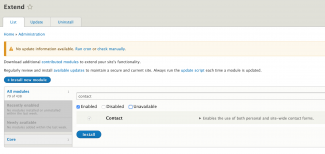
Drupal core comes with a Contact form, so the first step is to check it is already enabled by navigating to /admin/modules as per the first screenshot above.
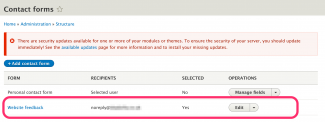
Next go to /admin/structure/contact and the default forms are listed including the Website Feedback form which is the one we will be using. See the second screenshot.
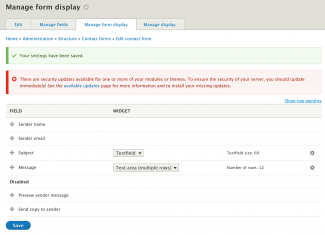
The third screenshot shows the default fields. I've made two changes here. The form preview requires a Drupal backend so has been removed, and I've disabled the 'Send copy to sender' option since that could encourage spamming.
$ composer require drupal/contact_block
Using version ^1.4 for drupal/contact_block
./composer.json has been updated
Gathering patches for root package.
Loading composer repositories with package information
Updating dependencies (including require-dev)
Package operations: 1 install, 0 updates, 0 removals
Gathering patches for root package.
Gathering patches for dependencies. This might take a minute.
  - Installing drupal/contact_block (1.4.0): Downloading (100%)
> Drupal\Core\Composer\Composer::vendorTestCodeCleanup
Writing lock file
Generating autoload files
> Drupal\Core\Composer\Composer::preAutoloadDump
> Drupal\Core\Composer\Composer::ensureHtaccess
$ drush en contact_block
 [success] Successfully enabled: contact_block
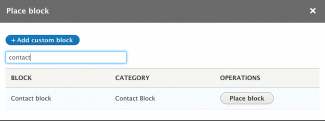
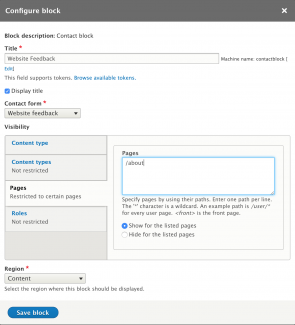
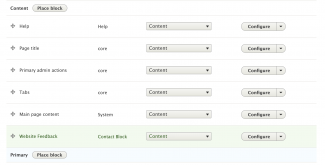
Adding the content form block to a block region should be familiar to most people so I won't go into this in great detail. I have placed it in the content region (first screenshot) at /admin/structure/block, configured it with the title, path restrictions so it only appears on my /about route, and ensured the correct form is to be displayed (second screenshot). The third screenshot shows I have dragged the contact form block to be the final block in the content region.
$ sls info | grep POST
  POST - https://djbbm406h0.execute-api.eu-west-2.amazonaws.com/dev
settings.php
<?php
$config['aws:lambda']['url'] = 'https://djbbm406h0.execute-api.eu-west-2.amazonaws.com/dev';
?><?php
/**
* @param $variables
*/
function beezee8_preprocess_form(&$variables) {
// find the contact form and add the lambda contact form action url
if ($variables['attributes']['id'] == 'contact-message-feedback-form') {
$variables['attributes']['action'] = \Drupal::config('aws:lambda')->get('url', FALSE);
}
}
?>
Now the form will be submitted to AWS Lambda for onward processing, and ultimately, a redirect back with a thank you message.