
We will be using DynamoDb to save our vote data, but since this adds additional complexity to the development process, it will also slow it down. There is a solution - DynamoDb can be installed locally so that there isn't the need for continuous deploys to AWS. In fact, the local version of DynamoDb is probably SQLite but it will do the job whilst we are testing our code. It also requires a working Java runtime so that needs to be installed first. This can be done on the command line. I am using Ubuntu 16.04 so for my system I do:
The JAVA_HOME environment variable will need to be set for the local DynamoDb to work correctly. Firstly we must determine where Java has been installed.
That's easy - Java is available at /usr/bin/java. Now edit /etc/environment and add the following line at the bottom:
Now we need to reload and check the variable is set
$ sudo apt-get update
$ sudo apt-get install default-jre
$ sudo update-alternatives --config java
There is only one alternative in link group java (providing /usr/bin/java): /usr/lib/jvm/java-7-openjdk-amd64/jre/bin/java
Nothing to configure.
JAVA_HOME="/usr/bin/java"
$ source /etc/environment
$ echo $JAVA_HOME
/usr/bin/java
Install DynamoDb
I downloaded the DynamoDb tarball from the AWS site and moved it into my /tmp directory.
Now list the directory and you'll see the jar file we will need to run.
$ cd /usr/lib
$ sudo mkdir /dynamodb
$ cd dynamodb
$ tar zxvf /tmp/dynamodb_local_latest.tar.gz
$ ls -las
total 3660
   4 drwxr-xr-x  4 root root    4096 Feb  4 17:55 .
   4 drwxr-xr-x 69 root root    4096 Feb  4 17:54 ..
3628 -rw-r--r--  1 root root 3713946 Feb 16  2017 DynamoDBLocal.jar
   4 drwxr-xr-x  2 root root    4096 Feb  4 17:55 DynamoDBLocal_lib
  12 -rw-r--r--  1 root root    8644 Feb 16  2017 LICENSE.txt
   4 -rw-r--r--  1 root root     795 Feb 16  2017 README.txt
   4 drwxr-xr-x  2 root root    4096 Feb  4 17:55 third_party_licenses
Start DynamoDB
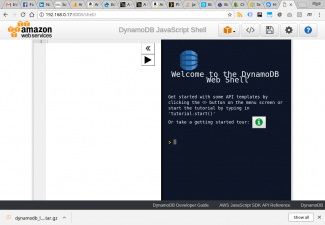
To start DynamoDb, you need to be sure you are in the directory listed above, and then issue the following command
Note I have set the flag inMemory so I am not writing to a database held on disk - all data is stored in volatile RAM. This is useful for quickly testing a solution, but obviously the data won't persist. The sharedDb flag tells DynamoDB to use one database across all regions and credentials - it makes it much easier to manage on a local test installation. To check it is running ok, point a browser at {your IP address}:8000/shell/ and you should see the shell as shown above.
$ java -Djava.library.path=./DynamoDBLocal_lib -jar DynamoDBLocal.jar -sharedDb -inMemory
Initializing DynamoDB Local with the following configuration:
Port:   8000
InMemory:       true
DbPath: null
SharedDb:       true
shouldDelayTransientStatuses:   false
CorsParams:     *
Create a Local DynamoDb Database
Once DynamoDb is up and running, you could write some code to create a database. However it is much easier to use the aws command line. All the options I list below are mandatory. I decided to define an attribute named id which I will generate when I write records.
Let's double check everything is ok
$ aws dynamodb create-table --table-name=vote_dev --attribute-definitions AttributeName=id,AttributeType=S --key-schema AttributeName=id,KeyType=HASH --provisioned-throughput ReadCapacityUnits=5,WriteCapacityUnits=5  --endpoint-url http://localhost:8000
{
    "TableDescription": {
        "TableArn": "arn:aws:dynamodb:ddblocal:000000000000:table/vote_dev",
        "AttributeDefinitions": [
            {
                "AttributeName": "id",
                "AttributeType": "S"
            }
        ],
        "ProvisionedThroughput": {
            "NumberOfDecreasesToday": 0,
            "WriteCapacityUnits": 5,
            "LastIncreaseDateTime": 0.0,
            "ReadCapacityUnits": 5,
            "LastDecreaseDateTime": 0.0
        },
        "TableSizeBytes": 0,
        "TableName": "vote_dev",
        "TableStatus": "ACTIVE",
        "KeySchema": [
            {
                "KeyType": "HASH",
                "AttributeName": "id"
            }
        ],
        "ItemCount": 0,
        "CreationDateTime": 1517770607.687
    }
}
$ aws dynamodb list-tables --endpoint-url http://localhost:8000
{
    "TableNames": [
        "vote_dev"
    ]
}
blog terms
serverless
serverless-php
PHP
lambda
devops